- C 56.4%
- Lua 41.7%
- GLSL 1.1%
- Makefile 0.4%
- Roff 0.3%
| .gitea/issue_template | ||
| protocols | ||
| SHADER_EXAMPLE | ||
| shells | ||
| .gitignore | ||
| .mailmap | ||
| CHANGELOG.md | ||
| client.h | ||
| compile_commands.json | ||
| config.def.h | ||
| config.mk | ||
| config_uwwm | ||
| CursorFX.md | ||
| dwl-dbg | ||
| dwl.1 | ||
| dwl.c | ||
| dwl.desktop | ||
| dwl.so | ||
| LICENSE | ||
| LICENSE.dwm | ||
| LICENSE.sway | ||
| LICENSE.tinywl | ||
| Makefile | ||
| Makefile.asan | ||
| README.md | ||
| shell.nix | ||
| util.c | ||
| util.h | ||

UWWM — Unlimited Wayland Window Manager
UWWM is a fast Wayland compositor built on wlroots that treats your desktop as a real 3D space instead of a grid of fixed rectangles.
Windows sit on an infinite canvas you pan, zoom, and lean into. The camera has weight. Windows have depth: they float above the wallpaper, tilt as you move them, and drop shadows that sell the gap. No workspace boxes, no columns deciding your layout, no daemon just to show a clock.
- A true 3D desktop. Parallax depth, spring physics, a camera you fly around.
- Live settings. Most changes apply the moment you save the file. No rebuild, no logout, nothing closes.
- Built for games. Fullscreen windows go straight to the display, bypassing the compositor, so you get the frame rate your hardware can actually deliver.
- Yours to take apart. One readable C file, a Lua layer for the on-screen interface, and no mandated workflow.
Getting UWWM
Dependencies
Required:
wlroots(built with the libinput backend)wayland,xkbcommon,libinput,dbusgrim(screenshots)cava, which publishes the audio levels that drive the reactive shader effectsgdk-pixbuf, which decodes album art, so JPEG and WebP covers work as well as PNGundefined-mediumfont (the default face the config references)
curl is used to fetch album art published as an http or https URL. Without it those covers
simply do not appear, and nothing else is affected.
Recommended for the built-in workflows:
wmenu, the application launcher and drag-to-spawn menusatty, to annotate screenshots as soon as you take themwf-recorderfor video,ffmpegfor GIF capture
For X11 applications:
UWWM prefers xwayland-satellite, which runs X11 programs as native Wayland surfaces with
correct positioning. If it isn't found at startup, UWWM falls back to its built-in XWayland
server. Building with that internal support needs libxcb, libxcb-wm, and a wlroots
built with X11 enabled.
Building
make
sudo make install
This installs the compositor and its companion runtime module, which loads at startup.
make also builds a separate debug pair (dwl-dbg and dwl-debg.so) carrying the
diagnostic tracing. The regular dwl binary has none of it.
TODO: the shell (control center, HUD, widgets) is being split into its own repository and added back as a submodule. Until then, install it by copying the
shells/directory into~/.config/uwwm/. These instructions get updated once the repo is public.
Shells are documented in their own file: shells/README.md.
Quick reference
Mod is the Super / Windows key.
Camera and canvas
| Input | Action |
|---|---|
| Left click + drag on empty space | Pan the camera, with momentum |
Mouse wheel on empty space, or with Mod |
Zoom in and out |
Mod + - / Mod + = |
Step zoom out and in |
Mod + A |
Fly the camera back to the origin |
Mod + M |
Cycle the workspace layout mode (zones) |
Windows
| Shortcut | Action |
|---|---|
Mod + Arrow keys |
Move focus across the canvas |
Mod + Ctrl + Arrows |
Slide the focused window across the canvas |
Mod + Shift + Arrows |
Resize the focused window |
Mod + Space |
Float or tile the focused window |
Mod + Shift + F |
Toggle fullscreen |
Mod + F |
Toggle true fullscreen, where the buffer goes straight to the display |
Mod + Q |
Close the focused window |
Mod + I |
Cluster mode, to see and edit window groups |
Free-form windows snap to each other magnetically when their edges meet, within
zone_snap_threshold and only where the windows actually overlap on the other axis. A guide
line in snap_guide_color marks the join while you drag. It sticks window to window, never to
invisible layout lines, so it stays predictable.
The hidden workspace
| Shortcut | Action |
|---|---|
Mod + H |
Show or hide the special workspace |
Mod + Shift + H |
Send the current window to it |
Mod + Ctrl + H |
Cycle between special workspaces |
What's in there recedes when you put it away: it dims, desaturates, and blurs, so you always know which side of the wall you're on.
Launching and placing
| Shortcut | Action |
|---|---|
Mod + Return |
Terminal |
Mod + P |
Application launcher |
Mod + Ctrl + Left click + drag |
Drag out a region. The next window opens exactly there |
Escape |
Cancel an in-progress region drag |
Effects
| Shortcut | Action |
|---|---|
Mod + S / Mod + Shift + S |
Cycle / toggle background effects |
Mod + C / Mod + Shift + C |
Cycle / toggle cursor effects |
Mod + W / Mod + Shift + W |
Cycle / toggle window effects |
Capture and session
| Shortcut | Action |
|---|---|
Print |
Screenshot with an interactive crop, opened for annotation |
Ctrl + Print |
Start or stop video recording |
Shift + Print |
Start or stop GIF capture |
Mod + Shift + Q |
Quit UWWM |
A recording indicator stays on screen while a capture is running, so you can't forget one.
Configuring UWWM
Two layers. You'll probably only need the first.
Runtime settings live in ~/.config/uwwm/config.conf: appearance, animation feel,
border styles, colours, effects, HDR, per-monitor options. UWWM watches the file, so
saving applies changes immediately without restarting or interrupting anything. Per-monitor
sections override the defaults, so one display can be HDR while another is SDR, with
different zoom and layout behaviour.
The on-screen interface, meaning the control center, status widgets, clock and media card, is written in Lua and reloads the same way. Almost every runtime setting has a slider or toggle there, so you can watch it change instead of guessing at numbers in a file.
Build-time settings, the default keybindings and compiled-in defaults, live in
config.h in the traditional dwl manner. Note that config.h is generated once from
config.def.h and is not re-copied on later builds, so edit config.h itself. Changing it
needs a rebuild, and the running session picks it up on next start.
The compositor also listens on a socket at /tmp/uwwm_ipc, so external scripts and bars can
drive it. See Scripting UWWM.
Features
The 3D canvas
Windows are placed in a concentric, non-overlapping grid on an infinite plane rather than trapped inside one monitor's rectangle. Panning has momentum, and everything (windows, the camera, fullscreen transitions) moves on spring physics with a little overshoot and settle, Windows bank away from the direction they are moving, with a soft ceiling rather than a clamp, so a flick leans harder than a drag but the two stay distinguishable. so the desktop feels handled rather than rendered.
With window parallax on, windows gain real depth. They lean as the camera moves, separate from the wallpaper behind them, and their shadows shift to sell the gap. Cursor and background effects share the same spatial model, which is why the screen reads as one scene instead of a stack of layers.
Workspace zones (Mod + M)
Zones split the canvas into named, resizable regions that behave like traditional tiling areas without giving up freeform placement. Cycle the layout mode to rearrange everything at once, or drop a window into a zone and let it fit.
Window clustering (Mod + I)
Cluster mode shows the relationships between your windows so you can edit them by hand.
- Badges appear above windows. Click a badge's O handle and drag to another window to link them.
- Linked windows move together, proportionally, across the canvas.
- Click the X at a link's midpoint to cut it.
- Click a cluster's name label to rename it.
- A badge shows how many notifications a window has received. Click it to expand the list, with icons and summaries.
Shader pipelines
Three independent GLSL fragment-shader pipelines run over the desktop.
- Background effects process your live wallpaper (
awwworswww): bloom on bass hits, edge-detection outlines that sharpen artwork, directional smear, and surface lighting computed from the image itself. - Cursor effects replace the static pointer with a physical one. It tilts, rotates, stretches with velocity, magnifies when you flick it, and scales up several times when you shake it, so you can find it across multiple monitors.
- Window effects draw the neon edge glow, highlights, and motion trails you see when windows move.
Defaults are built into the compositor and written out to ~/.config/uwwm/shaders/ on first
run, so you can start from something that already works. Shaders reload live. UWWM
checks each shader directory once a second (shader_hotreload_interval_ms, 0 to turn it
off), so saving a file applies immediately with no restart and nothing closing. If a shader
fails to compile, that pipeline falls back to its built-in source instead of breaking, so a
typo costs you the effect and not the session.
Audio reactivity is driven by [cava], an external analyser. On first run UWWM writes a
ready-made config to ~/.config/cava/config_uwwm, pointed at /tmp/uwwm_audio, so the only
step left is starting it:
cava -p ~/.config/cava/config_uwwm &
Put that in your autostart and every audio-reactive effect is live. The generated file
follows your system default output. Uncomment the source line inside it to bind a specific
device. UWWM never overwrites that file once it exists, so your edits survive upgrades.
HDR and colour
UWWM drives HDR through the display hardware rather than through the compositor, which is what keeps fullscreen content fast.
- Per-monitor HDR in PQ or HLG, detected from what the display actually reports.
- SDR white level sets how bright ordinary windows sit inside an HDR signal. This is the single most useful setting for making a desktop look right on an HDR panel.
- Desktop gamma, a shadow lift that raises crushed near-blacks, and highlight knee controls for both transfer functions.
- Brightness, contrast, and saturation grading, applied on the display side.
- Colour management reports honest capabilities to applications, so a game or video player is told what your panel can actually reach.
Because all of it happens on the display hardware, it also applies to directly-scanned-out games. You get HDR and colour grading for free, with no frame cost.
ShellFX
The whole on-screen interface is scriptable, and it runs inside the compositor. No bar daemon, no layer-shell client, no separate process to configure and keep alive.
A shell is a directory of Lua files under ~/.config/uwwm/shells/. The compositor loads it,
gives you a GPU-backed drawing surface per monitor, and calls your functions each frame:
shells/
    default/            the shipped shell: bar, control center, clock, media card
        init.lua        entry point, returns a table of callbacks
        widgets/        optional sub-modules
    fallback/           a minimal HUD that loads if your shell errors
The callback you care about first is on_render(monitor, width, height, dt). Draw with the
supplied primitives (rounded rects, gradients, circles, text, icons, glass panels, plus 3D
versions of all of them that lean with the desktop), and read live state through the FFI:
focused window, camera position and zoom, cursor, audio levels, CPU and memory, Wi-Fi and
Bluetooth, media player metadata. You can also drive the compositor back: spawn programs,
switch workspaces, change zoom, set volume.
Saving a file reloads it. Nothing restarts, nothing closes, and if your shell throws the compositor falls back to the built-in HUD instead of leaving you with a dead screen. That makes it safe to experiment live, which is the point.
Full reference, including every function signature and a copy-paste skeleton, is in shells/README.md. It is written to be handed to an LLM and used to build a shell from scratch.
ScreenFX
A compositor-side effect layer over the composited desktop, rather than per window. All six work: vignette, scanlines, film grain, chromatic aberration, bloom, and motion blur.
Motion blur is directional rather than a crossfade. A velocity buffer records how far each window actually travelled between frames, so a moving window smears along its own axis while a still desktop stays sharp, and the camera's own pan and zoom is folded in so the whole view blurs together when you move around.
Every strength ships at 0.00, so the pass is skipped entirely until you raise one. That
means it costs nothing when switched off, and it never runs in front of a fullscreen game,
which keeps direct scanout intact. Colour and HDR are complete and independent of this.
Per monitor. Each display has its own strengths in its [monitor.*] section, so one panel
can be graded heavily and another left alone. A key that is absent inherits [general], and a
key that is present and 0 is genuinely off for that panel, which is what lets you switch an
effect off on one display while it stays on everywhere else. The ScreenFX page in the control
center previews each effect on a simulated desktop as you move the sliders, and a SYNC TO ALL
button copies the selected monitor's whole grade to every other output.
Performance
UWWM tries hard to stay out of the way of anything that cares about frame timing.
- Direct scanout with a hardware cursor. When a window fills the display, its buffer goes straight to the screen and the compositor steps aside. No extra copy, no composition cost. The display hardware makes that call, so any application presenting a compatible fullscreen buffer gets it, not just games. The pointer stays live over scanned-out content: it is driven through the Wayland cursor object onto the KMS cursor plane, so a fullscreen game keeps both its zero-copy path and a visible mouse, and the CursorFX shader cursor and the plane never draw at the same time. If an application offers a cursor image the compositor cannot upload, the theme pointer is used instead.
- Tearing option. Allow unsynchronised presentation for the lowest possible latency, when you'd rather have every frame now than wait for the next refresh.
- Adaptive sync (VRR) per monitor, where the display supports it.
- Idle throttling. The interface, physics, and animation loops drop to a low rate when nothing is moving and wake instantly on input, so an untouched desktop costs almost nothing.
- Presentation-time pacing. Frames are gated on the display's own presentation clock rather than on a fixed tick rate, so a 165Hz panel is asked for at most 165 frames a second. Damage still wins, a window that repaints is composited immediately.
- Viewport culling. Windows that are on your current workspace but scrolled or panned clean off the display are skipped entirely, so they cost no geometry, no border render and no texture upload.
- Off-screen frame throttling. Applications only get a frame callback when their window is
actually visible, otherwise at
offscreen_frame_hz, default 15. That is what stops a browser two workspaces away from rendering pixels nobody can see. Set it to 0 for full rate. - Batched drawing. The interface groups its draw calls into single GPU submissions instead of one per element.
- Window velocity lean. Dragging a window banks it away from its direction of travel,
tuned by
window_move_tilt_degin[3d_window], the soft ceiling in degrees, andwindow_move_tilt_knee, the screen px/s that reaches half of it. It straightens the moment a snap engages, because a rotated edge cannot line up with an axis-aligned guide. - Input is dispatched before drawing, with no forced compositor latency.
Media, clock, notifications, coordinates
All drawn natively, with no extra process.
- Media player. A glassmorphic card driven over D-Bus, with cover art and a progress bar
that tracks seeking in real time, in a compact or wide layout. Cover art is decoded by
gdk-pixbuf, so JPEG, WebP and AVIF work as well as PNG, and an
httporhttpsart URL from a server-backed player is fetched in the background and cached, never on the render thread. Target it at one monitor or all of them, put it behind your windows or in front, or expose it as an ordinary movable window. - Clock. Configurable face, per-monitor placement, three depth layers.
- Notifications. Handled internally over D-Bus, with a stealth mode that tells you something arrived without putting the content on screen, and an option to prefix the window that caused it.
Screen capture and recording
Screenshots, video, and GIF capture are bound out of the box and route through grim,
wf-recorder, and ffmpeg. Screenshots open a crop selection and hand straight to satty
for annotation. UWWM also speaks the ext-image-capture protocol directly: wlr-shot (or any
client of that protocol) can capture the whole output, a region, or a single window by
listing toplevels and passing an identifier. Output capture is live today; window capture
is wired to the same protocol (a toplevel capture request supplies the window's scene node
as its source) and is pending verification.
Edge panning
Dragging or resizing near a display edge pans the camera at a controlled rate so the action stays on screen, with configurable threshold and acceleration, and protection against the runaway-expansion feedback loop this feature is notorious for. An option decides whether panning happens at boundaries you share with another monitor.
Scripting UWWM
A socket at /tmp/uwwm_ipc takes simple space-separated commands, so bars, keybinds, and
scripts can drive the compositor without an embedded interpreter.
- Camera and layout:
recenter,pancamera <0-3>,zoomcamera <factor>,view <1-9>,tag <1-9> - Windows:
focusdirection <0-3>,focusstack <±1>,togglefloating,togglefullscreen,killclient - Effects:
toggle_shader_manager/_cursor/_window,cycle_manager_shader/_cursor_shader/_window_shader,togglehelpers - Interface shell:
get_shells,get_shell_status,switch_shell <name>,debug_shell - State:
get_coords,get_active_window,get_monitors - System:
spawn <command>,quit
Two examples:
echo "get_active_window" | nc -U /tmp/uwwm_ipc
echo "view 3" | nc -U /tmp/uwwm_ipc
VR
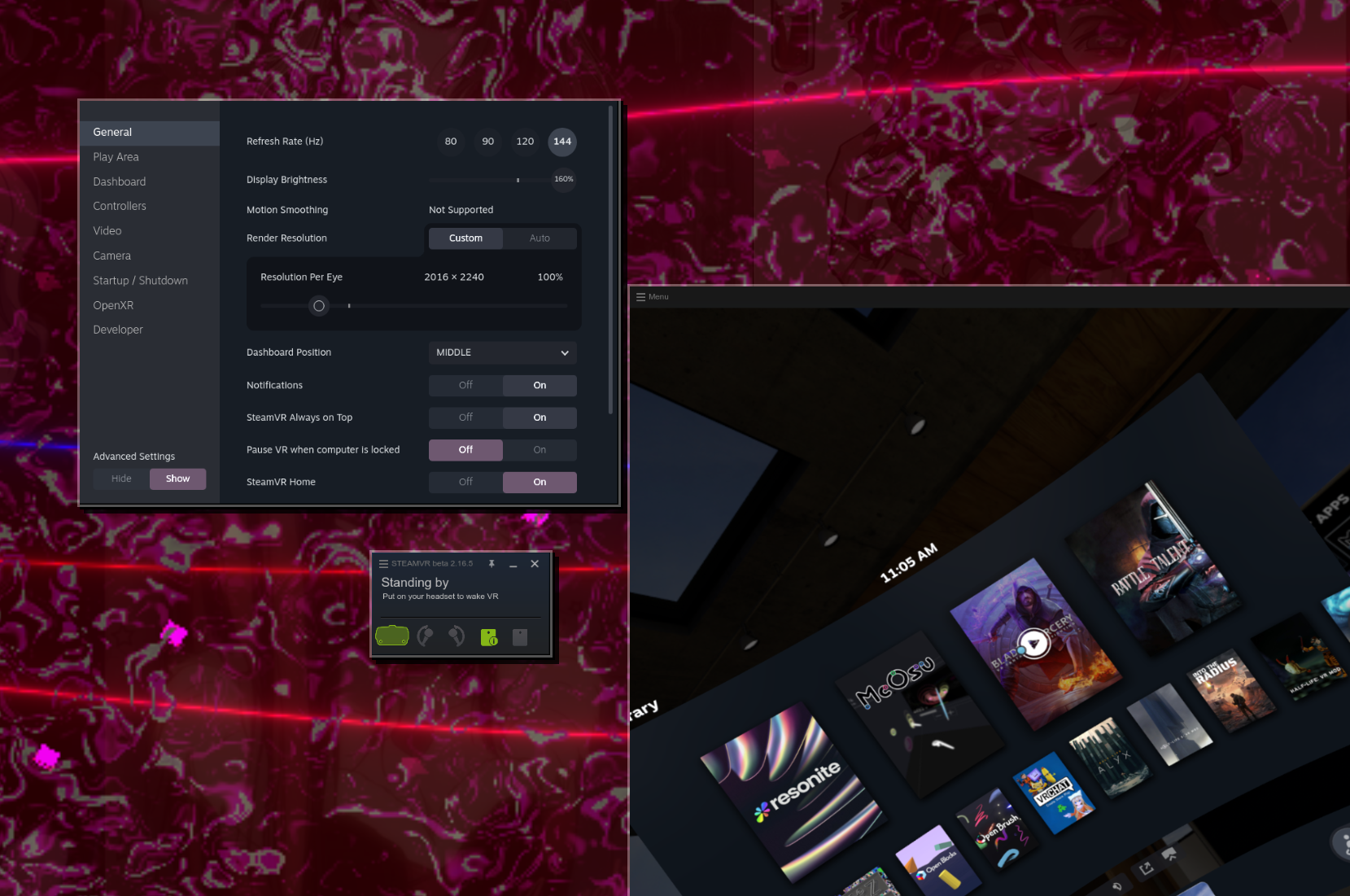
When a headset is connected, UWWM recognises its non-desktop display modes and leases the hardware directly to SteamVR. Plugging in is the whole setup.
Fullscreen games and aspect ratio
Fullscreen content can either stretch to fill the panel or keep its native aspect ratio with clean black bars. It's a per-monitor choice, useful for older titles and handheld-mode resolutions.
Troubleshooting
The background is black with effects enabled.
A wallpaper daemon (awww, swww) has to be running. The background pipeline filters
whatever is already being drawn; it doesn't generate an image itself. Also check that
foreground layering is enabled for the background shader.
Audio-reactive effects aren't reacting.
Check cava is running (cava -p ~/.config/cava/config_uwwm &) and that /tmp/uwwm_audio
exists and is receiving data. If you route audio somewhere unusual, check PipeWire's default
sink or set source explicitly in that config. If the file is missing, start UWWM once and
it writes the config on launch.
Notifications don't appear.
Source /tmp/uwwm_dbus_env in your session so applications find the compositor's bus, then
test with notify-send "Test".
A game isn't getting the direct, compositor-free path. That's the display hardware deciding whether it can scan the window's buffer out, which depends on the buffer's size and format. Windowed and borderless content with visible borders won't qualify; true fullscreen usually will. This is a correctness check, not a failure. Committing a buffer the display rejects would show as a black screen instead.
The media card stopped advancing. After a restart or reload, D-Bus property signals can desync. Press Stop (not Pause) in the player, then Play, to re-register the track.
Something looks wrong after editing the config. Most settings apply live. A few that change GPU buffer sizes or quality levels need a restart to reallocate cleanly.
Roblox / Sober has odd mouse input. Let it run natively on Wayland:
flatpak override --user --nosocket=wayland org.vinegarhq.Sober
Philosophy
UWWM exists to stop telling you how to use your computer.
The modern desktop has settled into two failure modes. One kind is soft, heavy, and fragile. The other uses "minimal" as an excuse to remove things you need and dictate the one layout it permits. UWWM takes the opposite position: maximum freedom, nothing compulsory, no compromise on frame timing.
- No forced paradigms. Infinite freeform canvas, keyboard tiling, zone layouts, a hidden scratchpad workspace, or pixel-perfect placement by dragging a box. All available, none mandatory.
- No daemon tax. The clock, notifications, media card, coordinates, and the control interface are drawn by the compositor itself. You are not running a 300 MB runtime to see the time.
- No gatekeeping. Layer-shell bars, external notification servers, wallpaper daemons, and floating menus all work, because it's standard Wayland underneath.
- No hidden latency. Input is processed before drawing, fullscreen content reaches the display directly, and the compositor's cost is something you can measure.
Your desktop is yours. Make it do whatever the fuck you want.
Videos
Click to play:
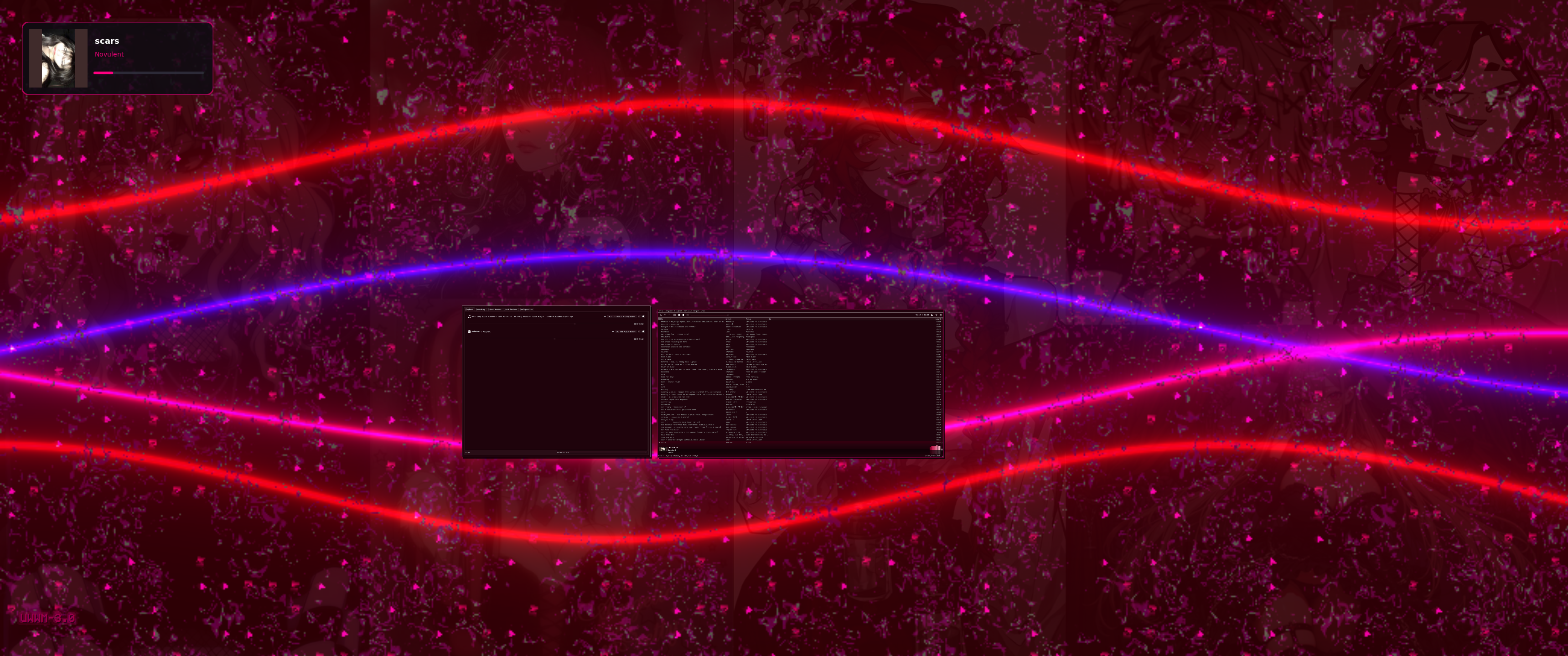
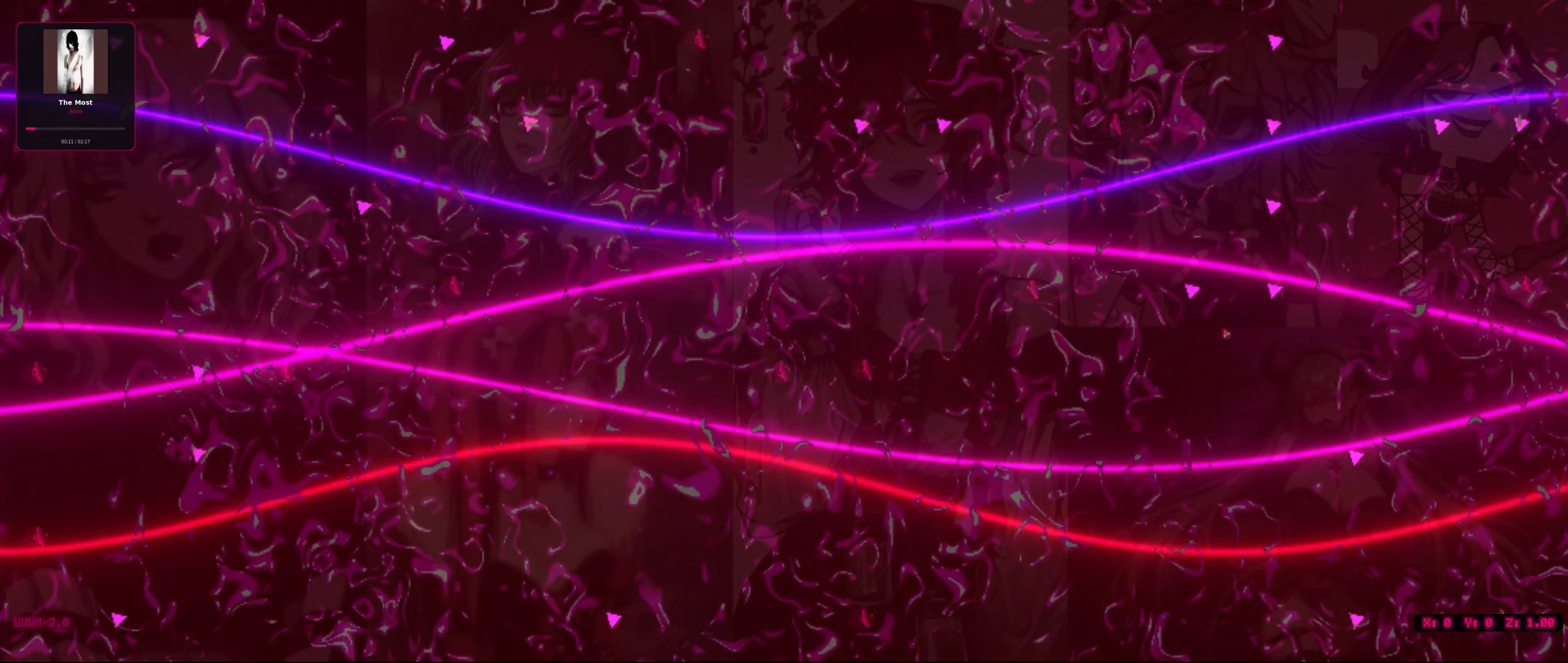
Pre-chording
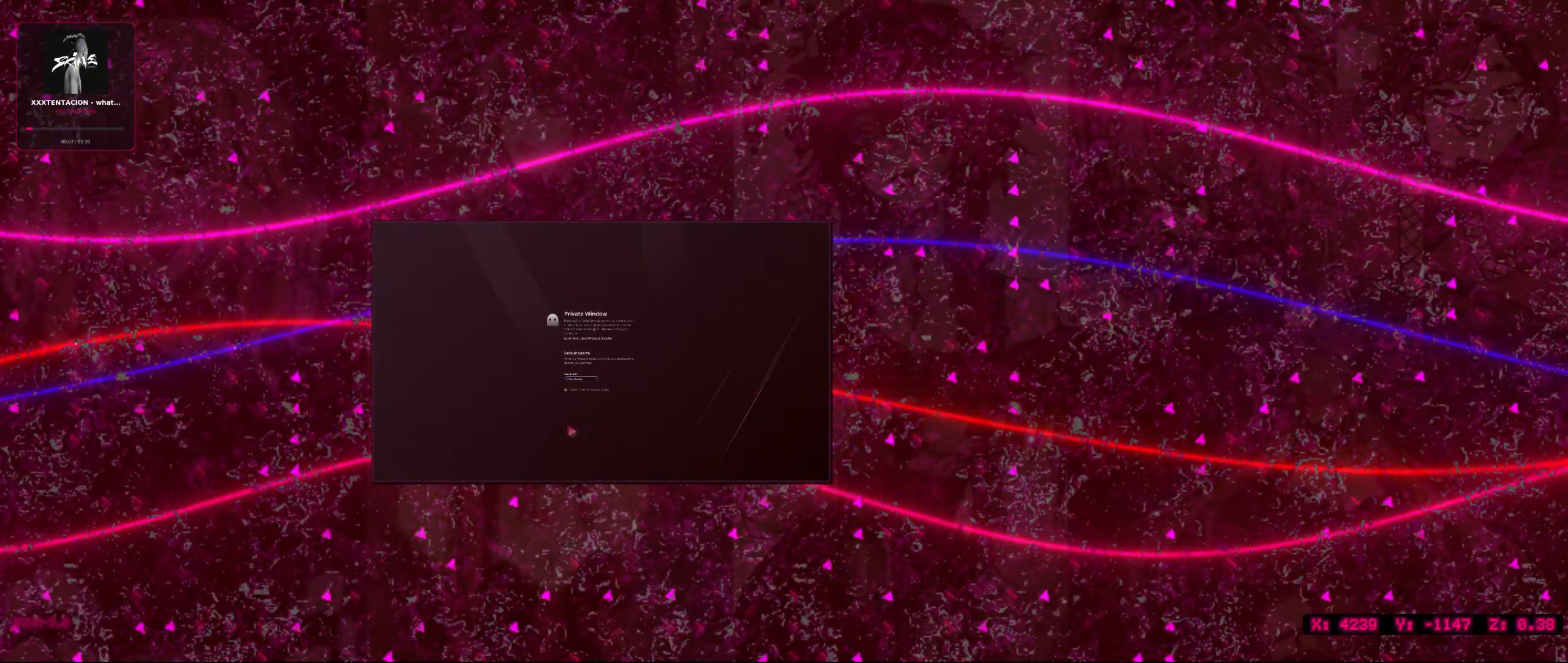
Drag out a region first, then launch. The window arrives already the size and position you asked for:
Does VR really work?
Heh, I got you ~
Roadmap
- ScreenFX. Fix bloom and motion blur. The pass itself composites correctly now, so this is the remaining two effects rather than the whole feature.
- Shell as a submodule. Move the Lua interface into its own repository and wire it into the build and install instructions.
- Per-monitor colour presets. Save and swap HDR/SDR grading setups between panels.
- CAVA control panel. Expose sensitivity, framerate, bars, smoothing, and input source
as live controls that write
~/.config/cava/config_uwwmand restart cava.
License
UWWM is derived from dwl and inherits its licensing. See LICENSE, plus LICENSE.dwm,
LICENSE.sway, and LICENSE.tinywl for the terms of the code it builds on.